Connector settings
Connectors are essential part for connecting with various datasources. All connectors are JDBC based, except REST, CSV and Excel connectors.
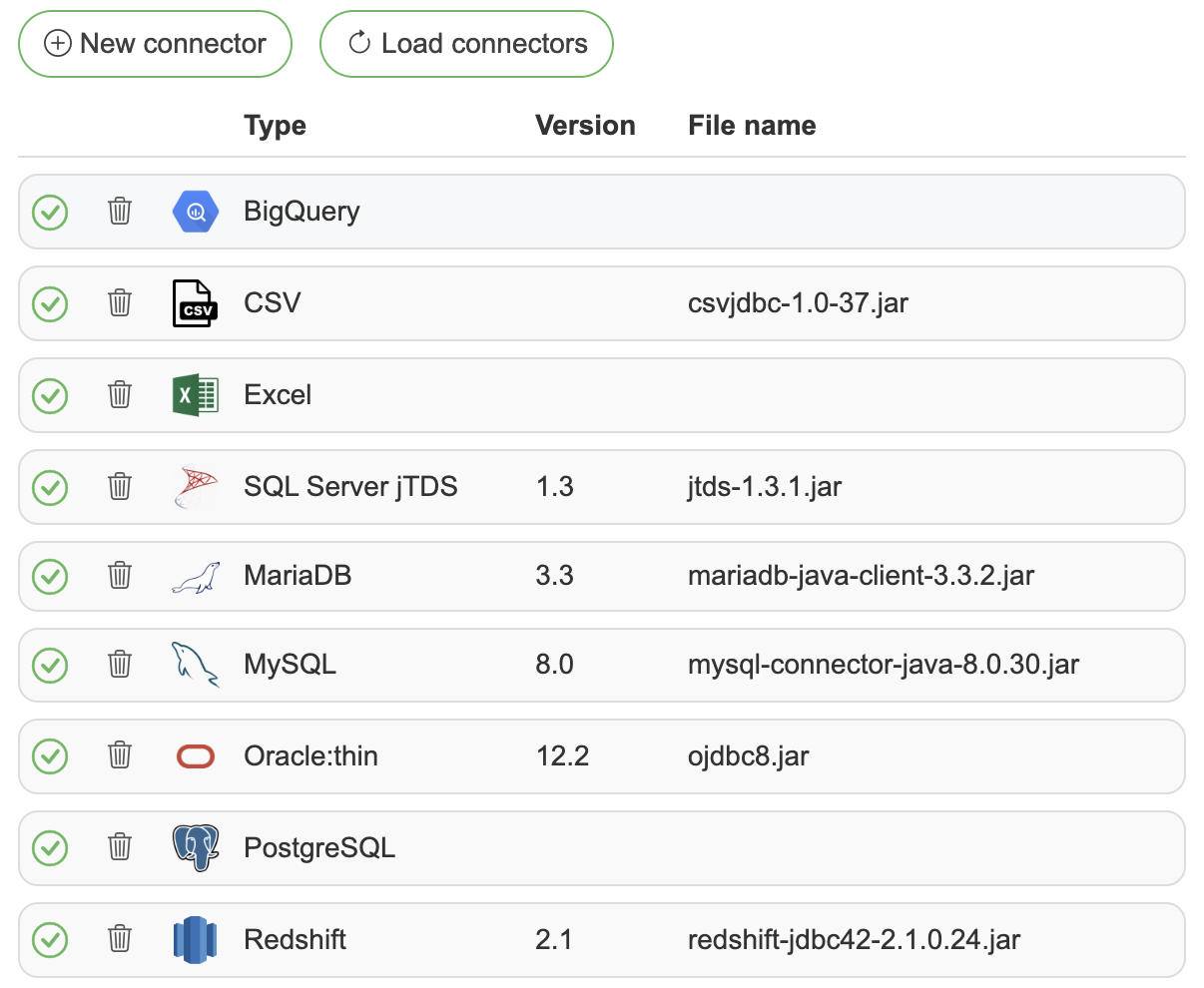
List of available connectors
BigQuery – included
CSV – included
Excel - included
OpenEdge Progress – Included in OpenEdge server installation under C:\Progress\OpenEdge\java\openedge.jar
Power BI - included
REST API – included
Salesforce - included
SAS (iom) – requires multiple JAR files (see Connection examples)
Sharepoint - included
SQLite - included
Tableau - included
Adding JDBC drivers
Press the "New connector" button
Choose driver type and select the driver’s JDBC JAR file to be used (some drivers like SAS support multi-file selection)
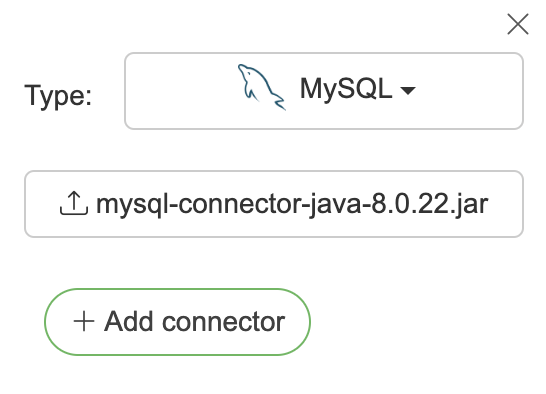
Click the "Add connector" button
Click the "Load connectors" button and confirm — the application restarts and all users are logged out
The restart initializes the added drivers/connectors
Check that added connector status is OK
 If the status check fails then please check that the correct driver file is uploaded.
New connections can now be added using the selected driver.
Automatic driver loading from volume
Instead of uploading drivers through the UI, JDBC driver JAR files can be placed directly on the server's filesystem. On every application startup, SelectZero platform scans the drivers/ directory and automatically registers any drivers it finds.
Folder structure
Each driver must be placed in its own subfolder inside the drivers/ directory. The folder name must exactly match the connector type identifier from the table below.
Connector | Folder name |
|---|---|
Athena |
|
Cassandra |
|
ClickHouse |
|
DB2 |
|
Databricks |
|
Exasol |
|
Hive |
|
MariaDB |
|
MySQL |
|
OpenEdge |
|
Oracle |
|
Redshift |
|
SAP Hana |
|
SAP IQ |
|
SAS IOM |
|
Snowflake |
|
SQL Server |
|
SQL Server jTDS |
|
Teradata |
|
Trino |
|
Vertica |
|