AI Assistant
The Allow AI assistant privilege unlocks two distinct AI-powered flows. Both share the same global AI configuration (model, endpoint, authentication) under General settings:
Test case suggestion - generate test case SQL + expected result from a natural-language prompt and selected metadata. Covered below.
Catalog enrichment - generate business descriptions, related glossary terms and custom field values for catalog objects and attributes, in bulk or for a single entity. See Description enrichment with AI.
Test case suggestion
Helpful for quickly generating test cases from a user's business requirements via natural language.
Opening AI assistant
The AI assistant is opened from the "New test case" dropdown on the Test cases page (also available on a catalog object's Test cases tab), or from an open test case via the "Generate" menu on the SQL tab: 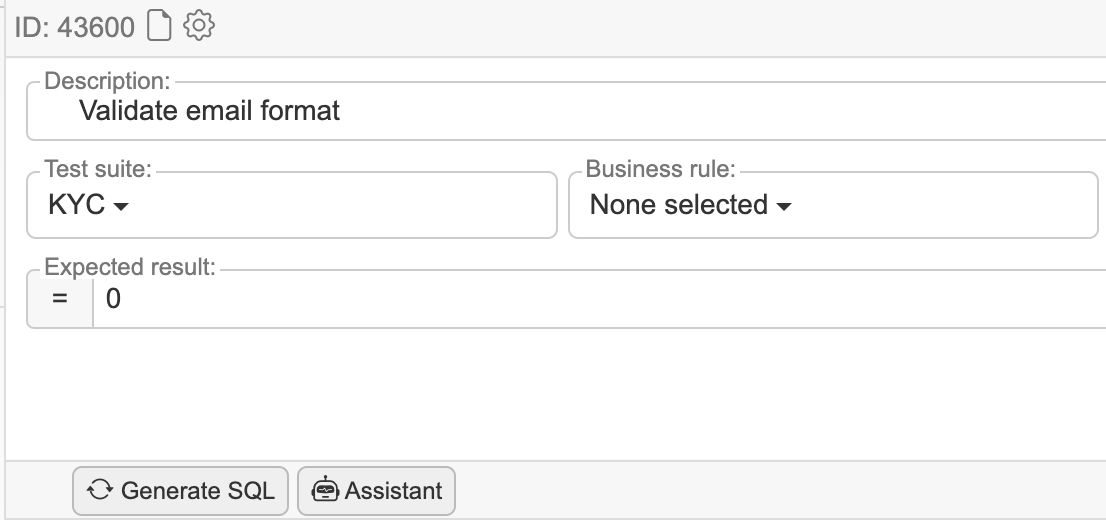
Generating suggestion(s)
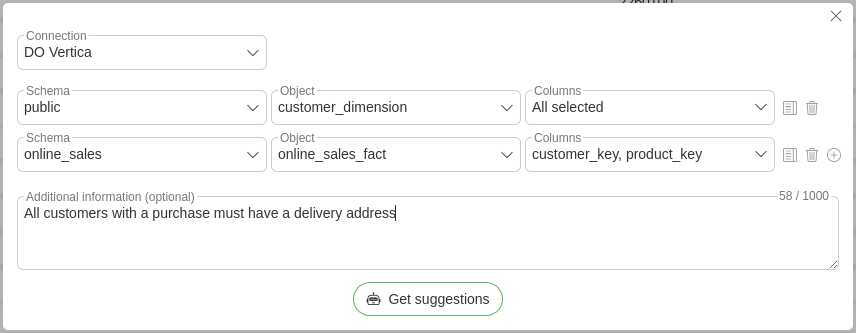
Connection - Datasource selection
Schema/Object/Columns - Selected data objects to send as metadata (up to 5 objects; the button on each row previews the metadata that would be sent)
Context - what the AI may see: Metadata (always), Column values, and Sample data (requires the Refresh sample data privilege)
Additional information - User's free-form prompt to get a specific suggestion. Can be empty in which case the AI assistant will generate suggestions based on metadata only.
AI assistant will return suggestion(s), and Get more suggestions appends further ones: 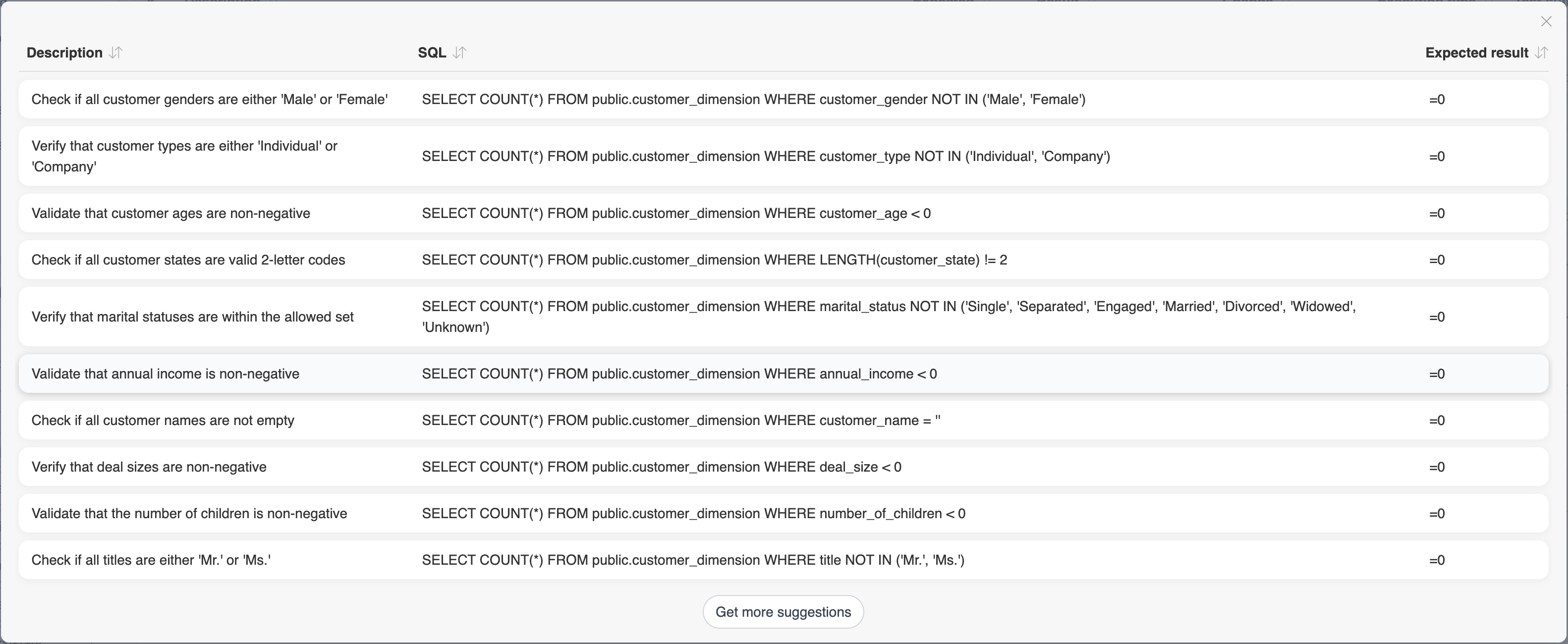
Choosing a suggestion opens the test case detailed view with the suggestion already filled in, so the test case is reviewed and edited in the same editor as any other one:
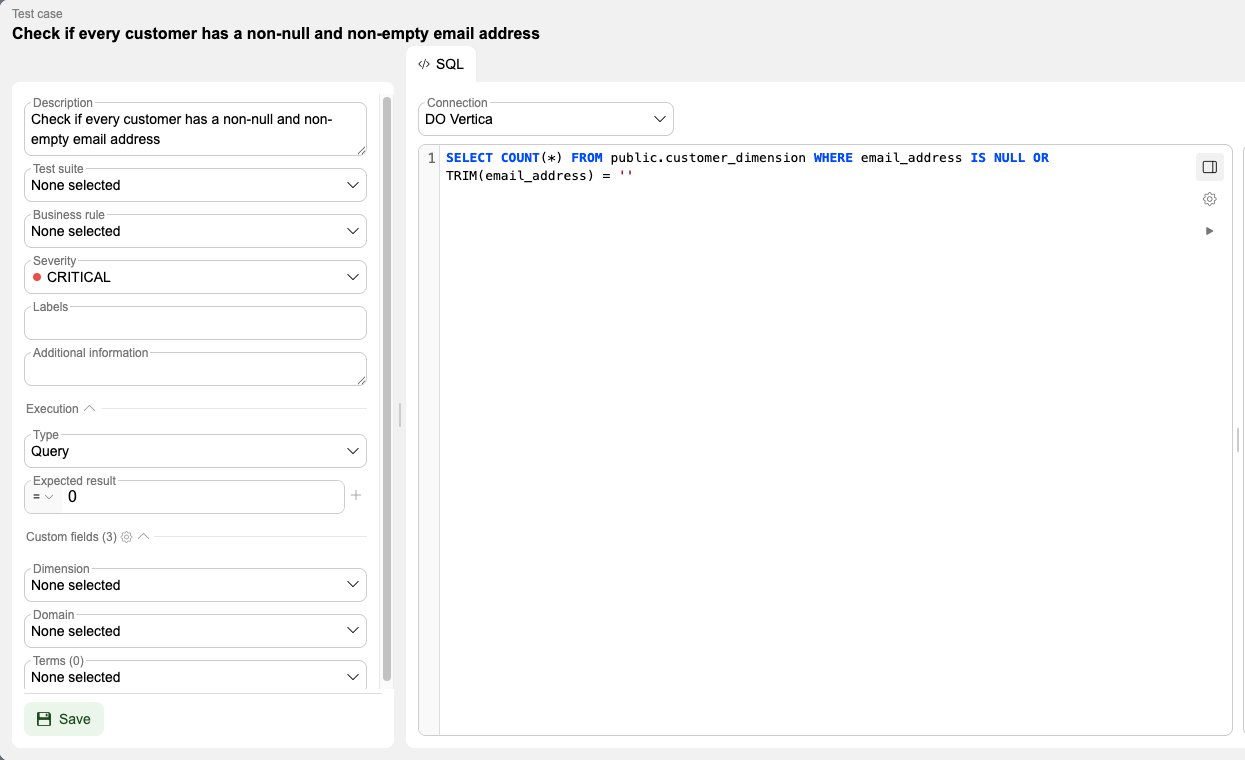
Description - the suggestion's description, used as the test case name
SQL - the suggested query on the SQL tab, against the connection the suggestion was generated for. It can be edited, and run from the editor to check the result before saving
Expected result - the suggested comparison and value, for example
= 0
Everything else is the normal test case form and starts empty: Test suite, Business rule, Labels and any custom fields. Nothing is stored until Save, so a suggestion that does not fit can simply be closed.
Catalog enrichment
Generate business descriptions, related glossary terms and custom field values for catalog objects and attributes, with preview-and-apply review. Suggestions that would overwrite an existing value are highlighted and left unchecked, so applying does not replace curated content by default.
Triggered from the Enrich action on the Objects and Attributes tabs, or from a single object's detailed view. Full walkthrough lives under Objects → Description enrichment with AI.