
Regulatory compliance
Meet the data quality and governance requirements of BCBS 239, GDPR, DORA, and others with audit-ready evidence.
Automated data validation, lineage, catalog, and business glossary in a single platform. Fully self-hosted, so no data leaves the environment.
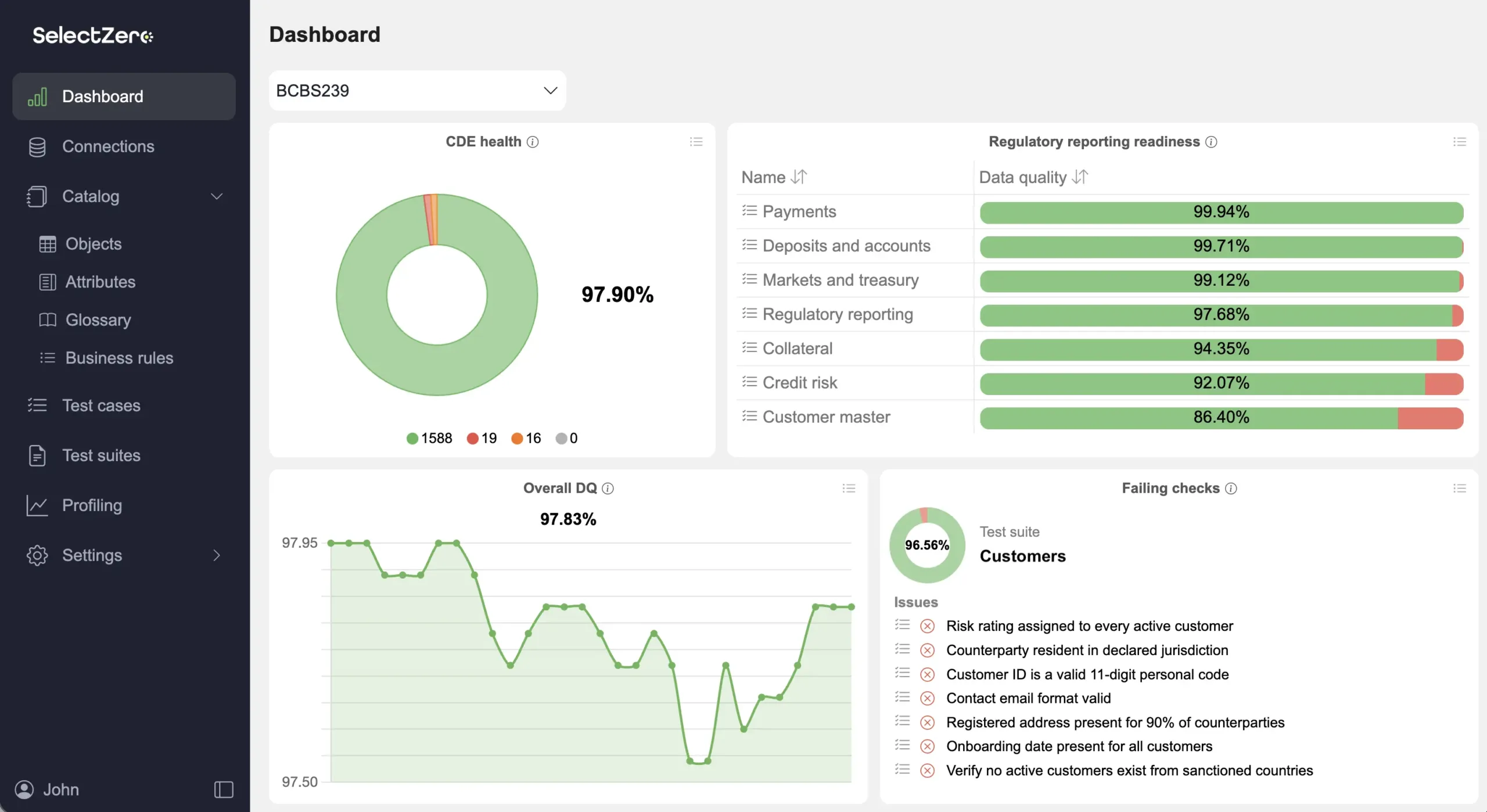




Meet the data quality and governance requirements of BCBS 239, GDPR, DORA, and others with audit-ready evidence.
Deliver dashboards and reports that can be trusted, so business decisions rest on accurate numbers.
Feed AI and ML models the reliable, well-documented data they need to deliver value instead of amplifying errors.
Detect data issues before they reach production, cutting incident response time and freeing data teams from constant firefighting.

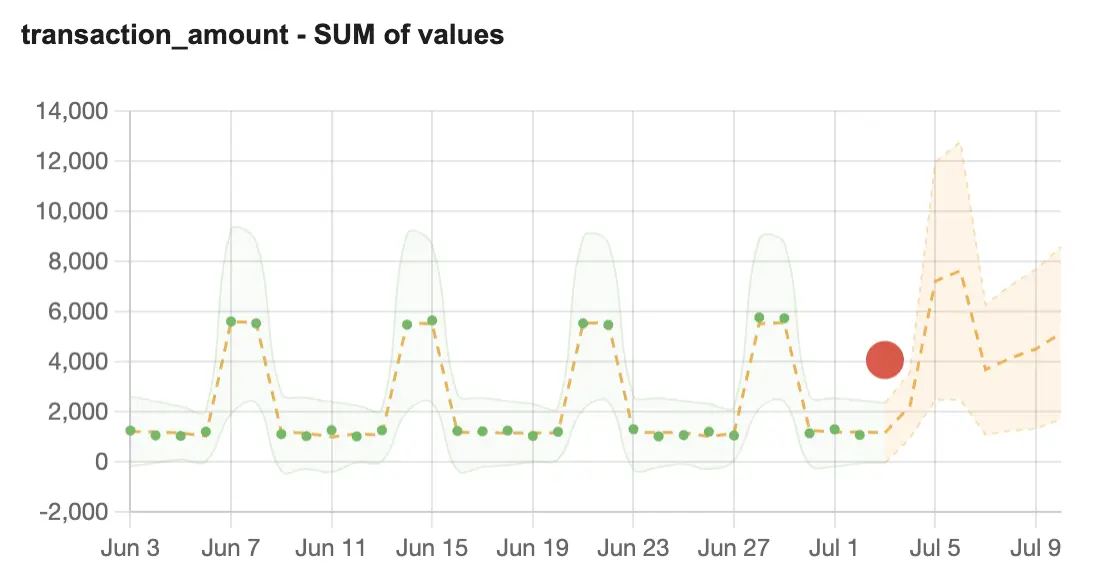
Ensure real-time data integrity with automated validations and alerts.
Learn more about data validation
Improve collaboration and transparency across your organization
Learn more about business glossary
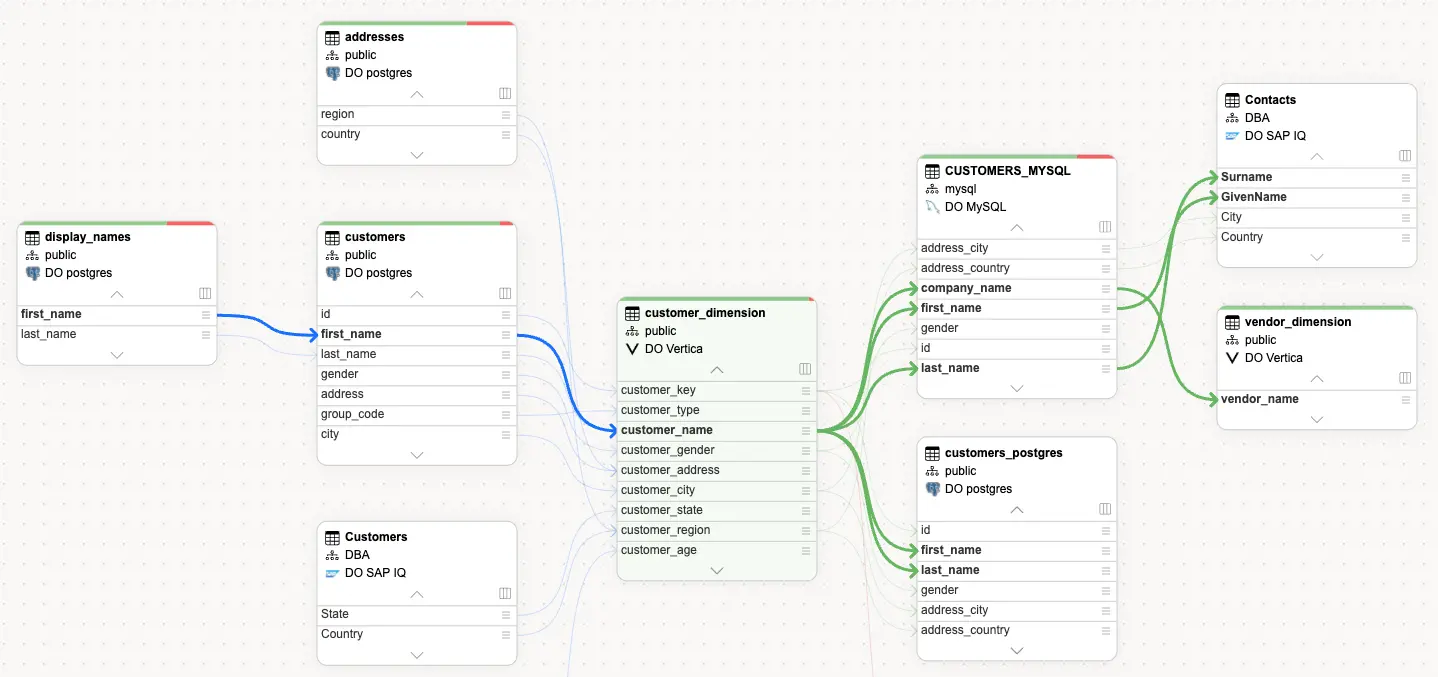
Visualize data pipeline and analyze downstream impact.
Learn more about data lineage
Efficiently manage data assets with a comprehensive data catalog.
Learn more about data catalog
Uncover data insights with profiling to detect anomalies and deviations.
Learn more about data profilingBringing our users the best solution to ensure data quality & reliability

“Our collaboration with SelectZero has been smooth and productive. When implementing new solutions, our main goal is for them to help optimize resource usage. The integration of SelectZero’s platform simplifies banking processes and enables us to make even more detailed and personalised decisions based on the data we have.”
Head of Product Development and Technology Area
“SelectZero’s data quality improvement tool is user-friendly and intuitive, helping to streamline our approach to data management. The vendor’s clear communication helped us explore data challenges from new angles, making collaboration smooth and insightful.”
 Andris Vedigs, Innovation Lead at Rimi
“The SelectZero platform, while simple and user-friendly, offers the most crucial data quality monitoring capabilities. It is developing rapidly, with new features being added constantly. As a client, we appreciate having a say in development to ensure it aligns with our needs. Additionally, the responsive support provided by the SelectZero Team has been invaluable.”
Anastasija Kravceva, Head of Data Architecture and Delivery at Citadele








Data warehouses
Databases
Business intelligence
Files and applications
Notifications
Yes. SelectZero is designed for secure enterprise deployment and runs fully on-premises or in private cloud without external network requirements. Deployment options include a Docker container, Docker Compose, Kubernetes (with managed persistent volumes on AWS EKS, Azure AKS, or GCP GKE), or a standalone Java application. The platform complies with OWASP ASVS Level 2 standards.
SelectZero integrates with LDAP, Active Directory, and OAuth2 for authentication, which allows organisations to use their existing identity infrastructure. Role-based access lets different departments and user groups define and execute validations on their own data. All user secrets and files are encrypted at rest, with support for custom encryption keys.
The platform deploys as a containerized application, and organisations have integrated it with their data warehouses, registers, risk systems, and reporting layers without requiring extended setup work. The typical time-to-value is short because validations are written in standard SQL rather than a proprietary scripting language, so teams can begin creating data quality checks immediately.
The platform can be deployed from a containerised image in a private cloud or as an on-premises solution. Visit the deployment documentation to get more information.
Yes, there is a Proof of Concept available within your own environment. Click here to get more information and get started.