
Business glossary
One definition per term, linked to the data.
Terms with owners, types and relations, an interactive graph, and links to catalog attributes, so business definitions and physical data stay connected.
 Business term managementTerms with descriptions, types, custom fields and ownership, organised in glossaries and folders.
 Term relationsDirected or undirected relations with custom types, forming business-level lineage.
 Visual relationship graphTree and knowledge-graph layouts of term relations, with saved views and filters.
 Connected to data assetsTerms linked to attributes, rules and validations, with alerts and audit history.
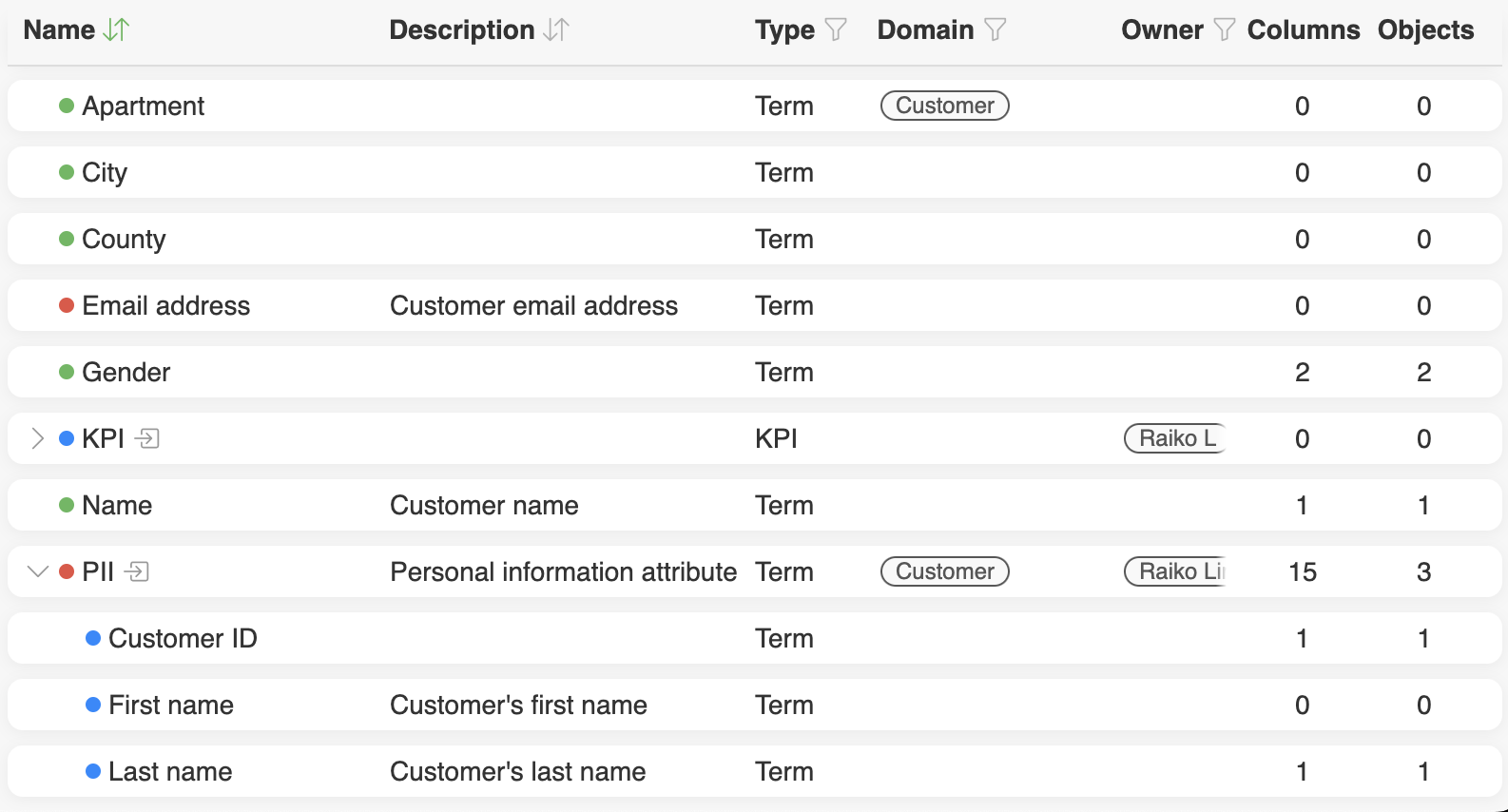
Business term management
Define each term once, with an owner and a place in the hierarchy, and express how it relates to the others.
- Define terms with names, descriptions, types, domain, and ownership, organized into separate glossaries for different business contexts
- Hierarchical folder structure with parent-child relationships for organizing related terms
- Custom term types and custom fields per glossary, including dates, long text and references to other terms
- Bulk edit, import and export: update many terms at once, or load them from CSV and Excel templates
- Search across the entire glossary by term name, description, or custom field values
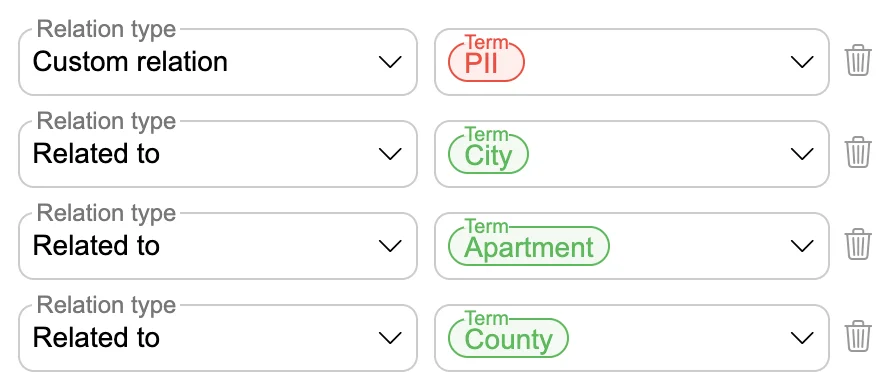
Term relations
Terms rarely stand alone. Relating them to each other turns the glossary into business-level lineage that shows how something is calculated, or what it depends on.
- Relations between terms, added on either term and visible from both sides
- Custom relation types alongside the built-in ones, for example “Calculates to”, “Synonym” or “Contains”
- Directed or undirected: a relation can point one way, such as an input feeding a KPI, or simply connect two related concepts
- Business-level lineage that explains how a figure is derived and what it is related to, before you ever open a SQL query
Visual relationship graph
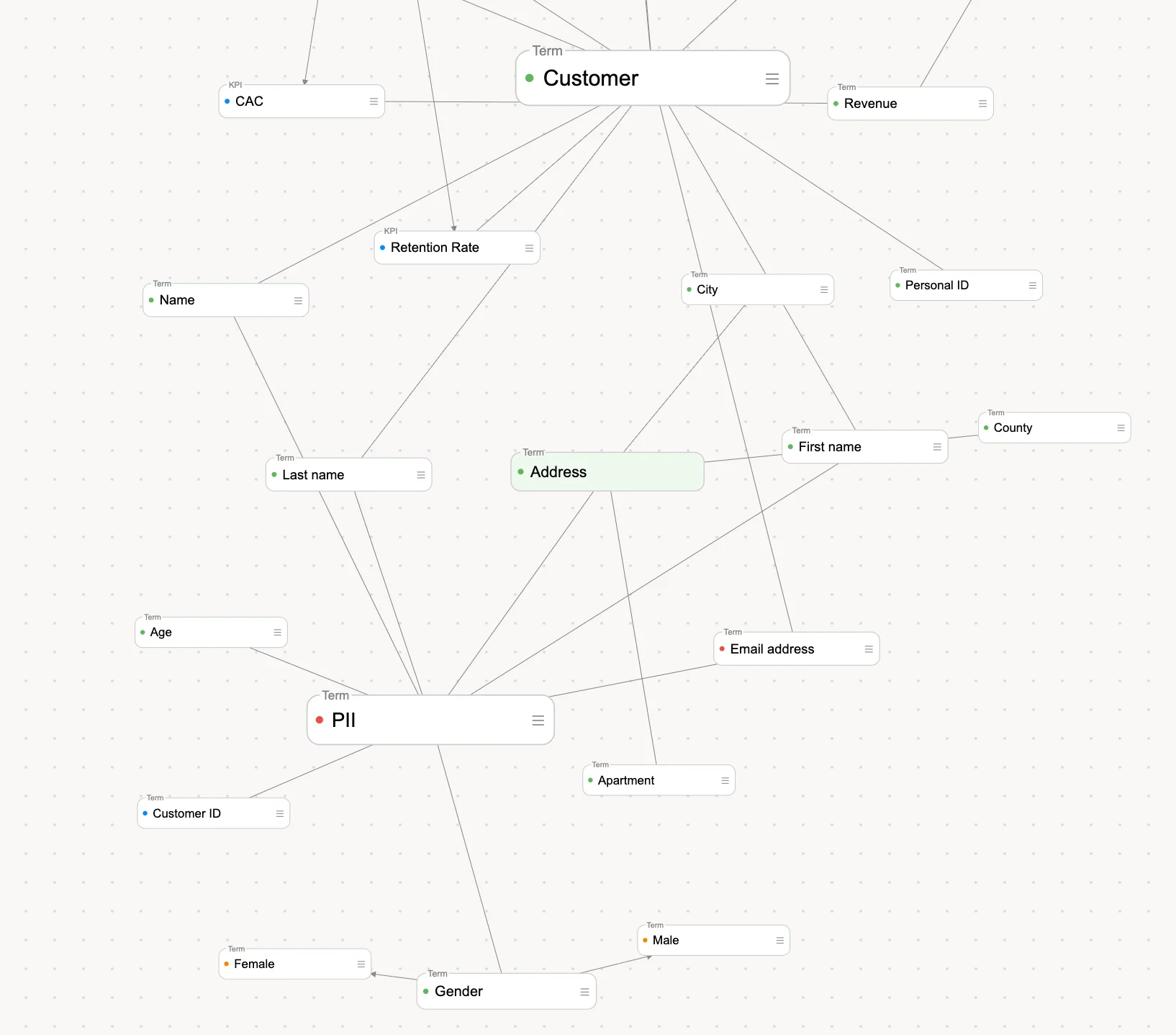
See how terms connect, focus on one cluster, and save the view for the next person who asks.
- Interactive graph showing all term relations with configurable depth, directional flow, and filtering
- Two layouts: a tree where a term can sit under several parents, and a knowledge graph where every term appears exactly once, with movable nodes and search
- Saved views with persistent filters, selectable relation types, and expandable/collapsible nodes for focused exploration of specific term clusters
- Navigate from any node in the graph to that term’s full detail view
Connected to data assets
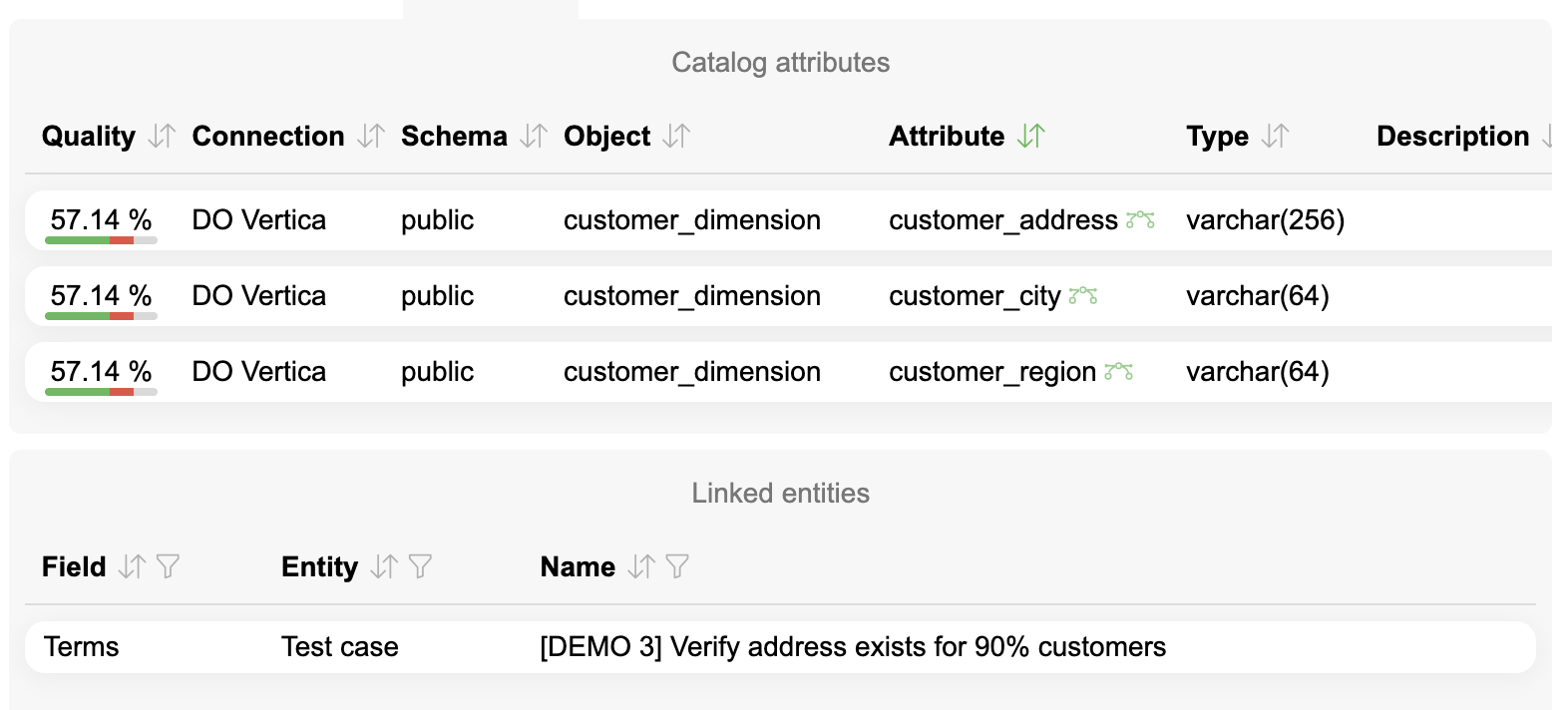
A definition is only useful when it points at the columns that implement it. Link terms to attributes and keep the link governed.
- Link terms to catalog attributes, bridging business definitions and physical data
- Linked entities: business rules, custom fields and descriptions that reference the term, shown as navigable links
- From definition to validation: a business rule linked to a term can generate a test case for every attribute that carries it
- Alerts and audit history on every term to track changes and maintain governance accountability
See it on your own data.
SelectZero runs inside your own environment, with your access rules in place and no data leaving it. Try the sandbox, or book a demo.