Entity alerting
Entity alerting allows users to enable notifications for themselves or any custom email. Alerting is available for catalog objects, glossary terms, glossaries, business rules, test cases, test suites, profiling objects and connection schemas.
Enabling/disabling notifications
Notifications are managed from the Notifications segment (bell icon) in the entity's detailed view header - its suffix shows the subscription count. On connection schema rows, the bell icon in the Alerts column opens the same form. For glossaries, the segment is in the glossary dialog's header - a glossary subscription covers term changes in the glossary and all of its sub-glossaries.

Clicking it opens the alerting form, one row per recipient with a toggle per available alert scope. Which scope columns appear depends on the entity - a catalog object offers Changes and Quality. Each row shows the recipient's name with their email below it:
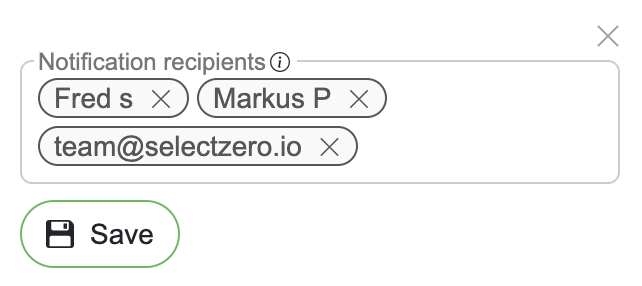
Users with edit rights see all recipients and can add users, custom emails or webhooks as recipients through the Add recipient or webhook field, choose each recipient's alert scopes, and remove recipients.
Users without edit rights see their own subscription row and can choose their scopes or remove their notifications.
Changes apply on Save.
Recipients of terms, objects and test cases can also be set by file import, see Import → Alert recipients.
Alert types
Available alert scopes depend on the entity:
Failure alerts - notifications when an execution fails or errors. Available on test cases, test suites and profilings
Change alerts - notifications when the entity is modified or deleted. Available on test cases, terms, glossaries, business rules, catalog objects and schemas
Quality alerts - notifications when an object's or business rule's data quality drops after an execution. Available on catalog objects and business rules
The full mapping is in Alerts settings → Alert scopes.
Users can choose which types of alerts they want to receive when configuring notifications. For test suites, the alerting form also holds the suite's alert settings (Alert mode, Allowed errors (%), Severity threshold - see Test suites → Alerts).
Object quality alerts
An object's data quality is the share of passing checks across every test case and profiling rule that points at it - the same percentage the Objects list and the object's detailed view show. The Quality scope notifies subscribers when that percentage falls.
Every execution feeds it: a test suite run, a scheduled batch, a single test case or profiling rule run by hand, a REST API run and a dbt sync. When one finishes, each subscribed object it touched is re-scored and compared with its value from the previous execution.
Each recipient decides how large a drop they want to hear about:
The Quality toggle switches quality alerts on or off for the recipient
While it is on, a pill under the toggle shows the minimum drop: any drop, or e.g. ≥ 5%
Click the pill to change it, type the minimum in percentage points and press Enter or click away
Leave the field empty or enter
0to be notified about every drop; values above100become100Escape cancels the change
Switching the toggle off clears the minimum
Like the rest of the form, changes apply on Save
The alert lists the object, its previous and current quality, and the checks behind the drop:
Failing checks first, then the checks added since the previous measurement that have not run yet
A profiling rule row shows its value, the expected range it was judged against (e.g.
3 ± 0.3), and the previous run's value
Notes on the numbers:
A drop is measured against the object's quality at its previous execution, not against yesterday. So a drop and a recovery on the same day are both seen.
The first execution after subscribing never alerts: the starting point is recorded when the scope is enabled.
A recovery is not notified, but it does become the new starting point.
Test cases with a percentage expected result contribute proportionally, so quality can move without any single check changing status. The alert then reports the numbers with no failing checks listed.
The alert's quality is the same number the object's detailed view shows: a check that has never run counts against it
A check added since the last execution lowers the quality until it runs, and the alert lists it as NOT EXECUTED
An object with no test cases and no profiling rules has no quality, which is never a drop.
Business rule quality alerts
A business rule's data quality is the number on the Business rules list: the share of passing linked test cases. The Quality scope notifies subscribers when it falls.
Any execution of one of the rule's test cases re-scores the rule
Each recipient sets their own minimum drop, as for objects
A test case that has never run counts against the quality once any of the rule's test cases has run
Until then the rule shows
-and has no quality, which is never a dropLinking or unlinking test cases is reported at the next execution of one of the rule's test cases
A newly linked test case that has not run yet is listed as NOT EXECUTED
A newly linked test case that is already failing is listed with its result
The alert lists every failing test case of the rule, with its connection, not only the ones that just ran
A user's email lists only the test cases they can view (connection and test suite); the rest are counted
A user who can no longer view business rules is not emailed
A custom email address gets the numbers and the link only
A webhook gets every listed test case
Admins can review and manage all subscriptions centrally under Alerts settings → Managing user alerts; every user can see their own under Settings → Profile → My alerts.