
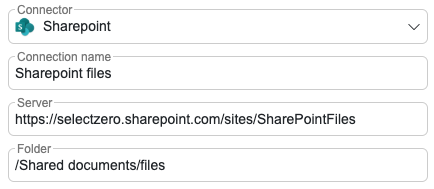
Sharepoint connection for Excel files

You can now connect to SharePoint to use Excel files as a data source, making it easier to track and validate dynamic data. This ensures real-time issue detection as files update, improving data quality and reliability.
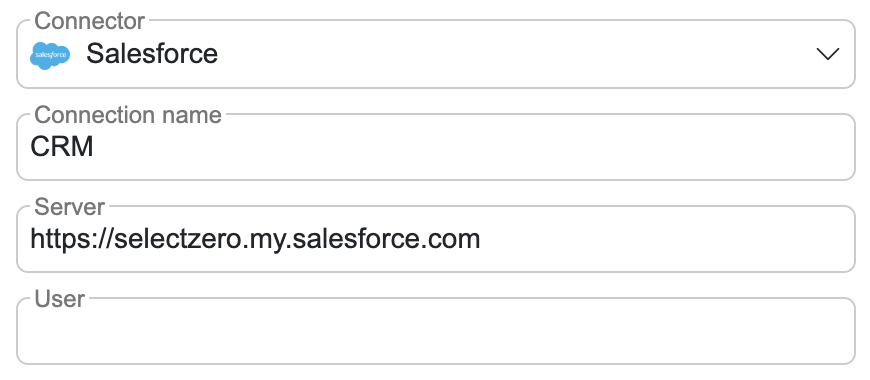
Salesforce connection

Connect directly to Salesforce CRM to validate data, ensuring accuracy and consistency across your records.
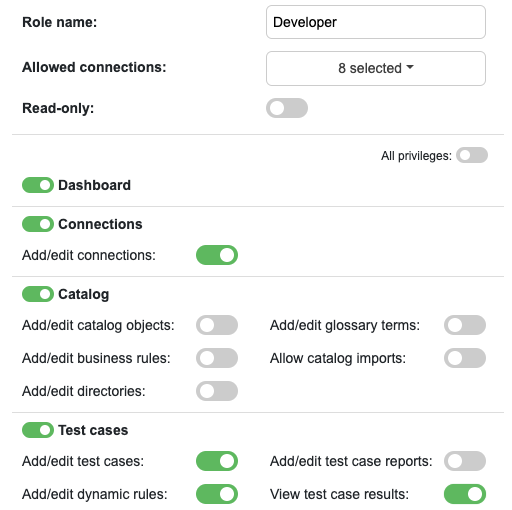
View privileges & read-only users

It is now possible to view privileges to specific pages, restricting access to certain functionalities based on user groups. Additionally, read-only users can be created, ensuring they have access only to selected pages without the ability to make changes.
Read-only test suites

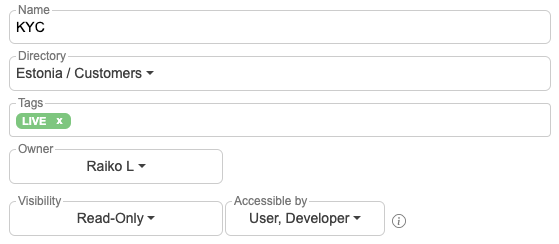
Test suites can now be set to read-only, restricting editing and execution of test cases to specific roles. Users without the necessary privileges can still view the test cases, ensuring controlled access while maintaining visibility.
Interested in hearing more?

Case study: Rimi Baltics

March 26, 2026|

Ensuring accurate and consistent master data across retail systems Case study with Rimi THE CUSTOMER Rimi Baltic is one of the largest retailers in the Baltic States, operating since 2004. The company [...]

Release 2026.3

March 16, 2026|

SelectZero release 2026.3 SelectZero 2026.3 is here, bringing a range of new features and improvements across the platform. This release focuses on deeper data quality insights, broader connectivity, and a more streamlined [...]

Release 2026.2

March 2, 2026|

SelectZero 2026.2 The new version of SelectZero is packed with new features and improvements designed to make data quality management faster, smarter, and more flexible. This release introduces Standard validations functionality for [...]

Release 2025.12

January 14, 2026|

Glossary term view tabs & enhancements The Glossary term detail view has been redesigned with dedicated tabs for Graph, Relations, and Assets, making it easier to explore and manage term context. The [...]