
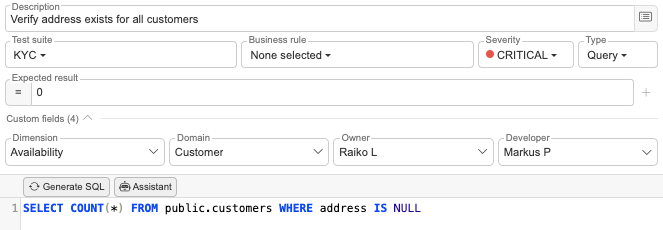
Custom attributes
Enhance your platform flexibility by defining custom fields for any glossary term or test case. With this new feature, you can capture the unique details and nuances that matter most to your organization, ensuring a fully personalized approach to data observability.
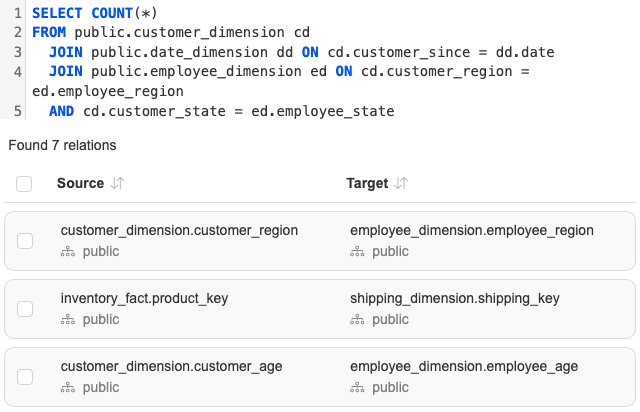
Automated data lineage
Simplify the complexity of tracking data flow with automated parsing of relations directly from SQL logs. This feature empowers you to uncover dependencies and trace data lineage effortlessly, giving you complete visibility and confidence in your data ecosystem.
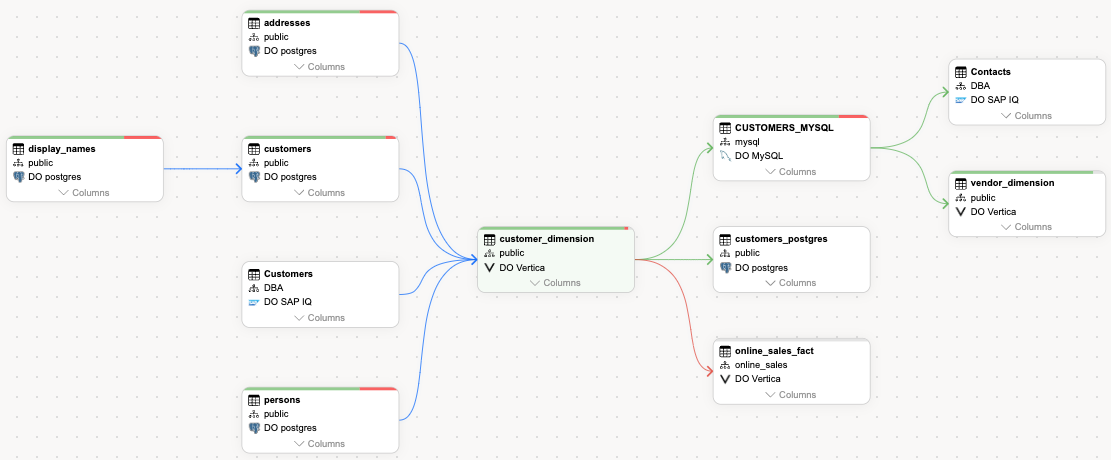
Data quality scores for lineage objects
Gain instant insights into data quality with scores available for every table and column in your lineage. Simplify root-cause analysis and quickly identify propagated data quality issues, enabling proactive resolutions and trust in your data at every step.
File storage for CSV and Excel files
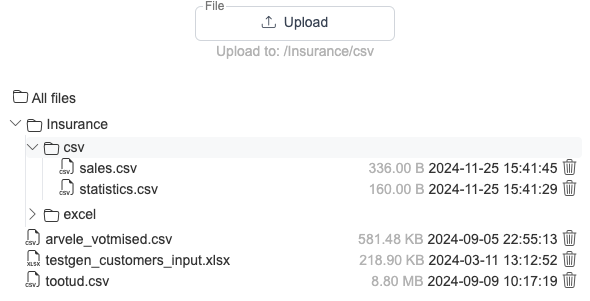
Easily upload and organize CSV and Excel files with support for custom directories in local storage. This feature streamlines data management for flat files, making it effortless to catalog and get overview of your data.
Profiling values in AI assistant
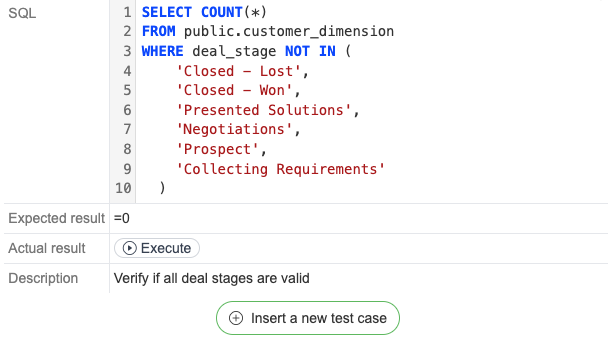
Leverage profiled values in our AI assistant to unlock more accurate and context-aware suggestions for data validations. This enhancement ensures a broader range of recommendations tailored to your data, allowing you to maintain quality with confidence and precision.
Custom metadata upload
Seamlessly integrate metadata from any data source into your data catalog. This feature provides a comprehensive overview of every data asset and enables end-to-end lineage visibility, giving you deeper context and enhanced control over your data.
Mass actions for business glossary
Save time and effort with the ability to add or update attributes for multiple glossary terms in bulk. This ensures efficient management of your business glossary, helping you maintain consistency and accuracy across your data terminology.
Custom directed relation types
Take control of your glossary relationships with the ability to define directional relation types. This new feature allows you to create more advanced and relevant connections between glossary terms, enhancing clarity and depth in your data relationships.

Release 2026.7
SelectZero release 2026.7 SelectZero 2026.7 is one of the broadest releases so far, reaching nearly every part of the platform. The interface has been rebuilt end to end, and profiling takes a [...]

Unified data quality, catalog, and lineage: why G2 ranks SelectZero a High Performer
Most organizations don't have a data quality problem in just one system, they have one spread across ten different databases, dashboards, and pipelines that nobody fully understands anymore. SelectZero exists to close that gap: [...]
Did that fix actually work? Track row-level differences for data quality checks
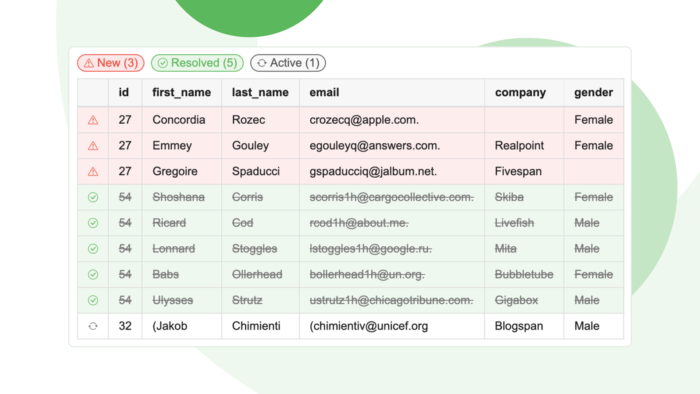
When you monitor data quality, finding out that something is wrong is only the beginning. The harder question is what is wrong. Is this a brand-new problem that appeared overnight or a recurring issue [...]
SelectZero now integrates with dbt
SelectZero now ingests metadata from both dbt Core and dbt Cloud. Your dbt models, sources, seeds, snapshots, tests, and lineage flow into the SelectZero catalog and merge with metadata from every other system you [...]
Your catalog, in any AI client: SelectZero MCP server
SelectZero now ships a built-in Model Context Protocol (MCP) server. Point Claude Desktop, Cursor, Claude Code, VS Code, or any other MCP-aware client at your SelectZero instance, and your AI assistant gets first-class access [...]
Release 2026.5
SelectZero release 2026.5 SelectZero 2026.5 brings the platform's biggest expansion yet into the modern data stack, with native dbt integration, AI-powered catalog enrichment, and MCP support that opens SelectZero data to AI [...]