
SelectZero 2026.2
The new version of SelectZero is packed with new features and improvements designed to make data quality management faster, smarter, and more flexible. This release introduces Standard validations functionality for quick no-code test creation, a drag-and-drop mapping interface for data reconciliation, and enhanced alerting at the test case level. Teams can now track full change history on test cases, export reports as Excel files, and receive richer webhook notifications with test case results. On the integrations side, Power BI on-premises (PowerBI Report Server) and SAS are now supported, and the Glossary has been updated to handle duplicate terms across different contexts.
Standard validations
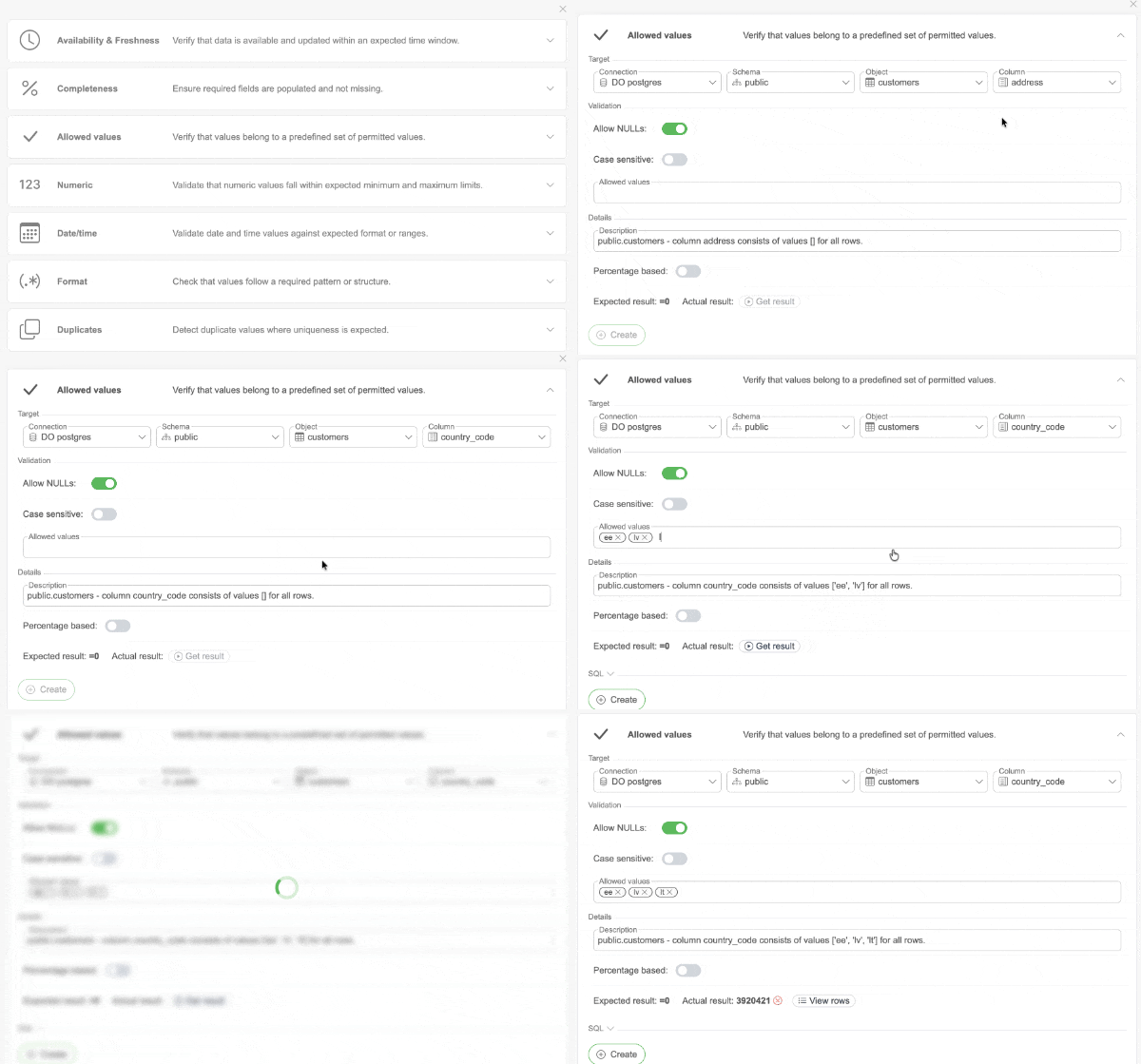
Setting up data quality validations just got a lot faster. The new Standard validations functionality lets you pick from a set of predefined validation types, including column completeness, allowed values, numeric ranges, regex checks, date/time checks, duplicate checks, data availability, and data freshness. Simply fill in the required details and you are good to go. No SQL writing required. Standard validations can also be created directly from the Catalog page when opening the Test cases section for any Object.
Data reconciliation mapping
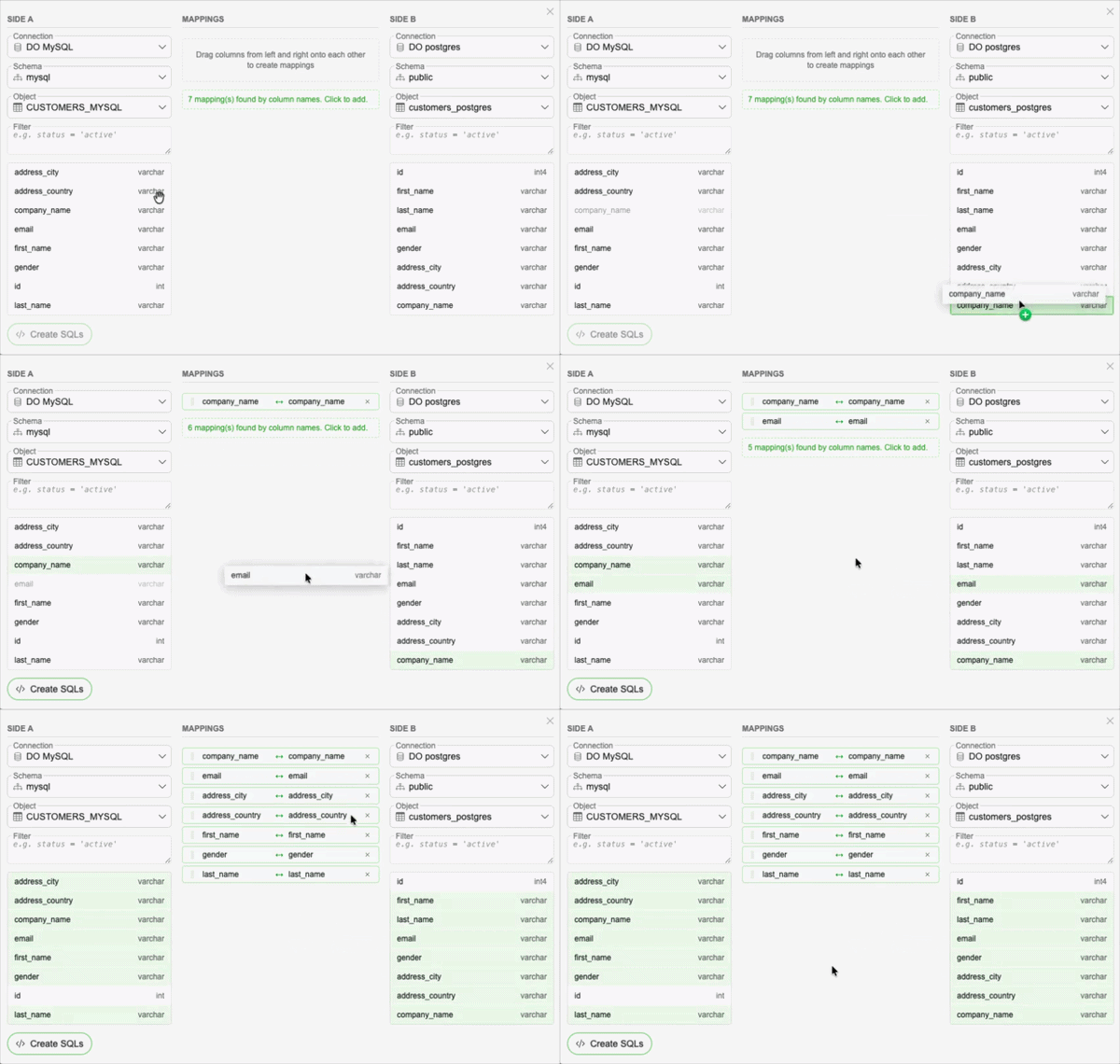
Creating data reconciliation tests is now more intuitive with a new drag-and-drop mapping interface. Select your source and target objects, then simply drag columns onto each other to define the mapping. WHERE filters can be added as needed, and the SQL is automatically generated from your mapping. Existing SQL is also parsed back into the visual mapping view when reopening a test case.
Test case change history
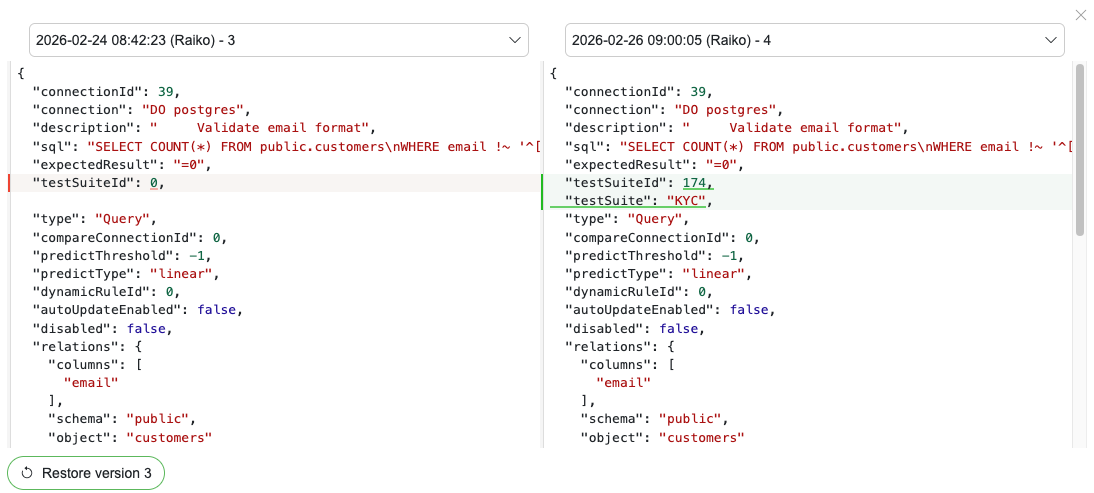
You can now track all changes made to a test case over time with the new change history feature. It provides a full audit trail of edits, making it easy to see what was changed, when, and by whom. This helps teams maintain accountability and transparency across their data quality test cases.
Test case level alerting
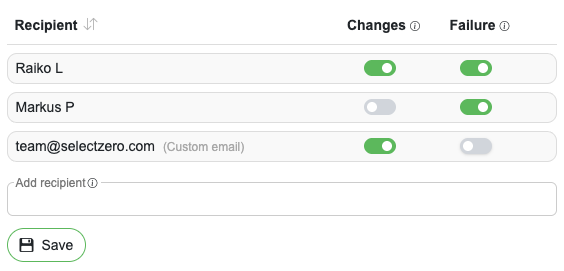
Alerts can now be configured directly on individual test cases, giving you more granular control over notifications. You can choose to receive alerts based on test case execution results, triggered by a schedule or API, as well as alerts when changes are made to the test case itself.
Test reports as Excel files
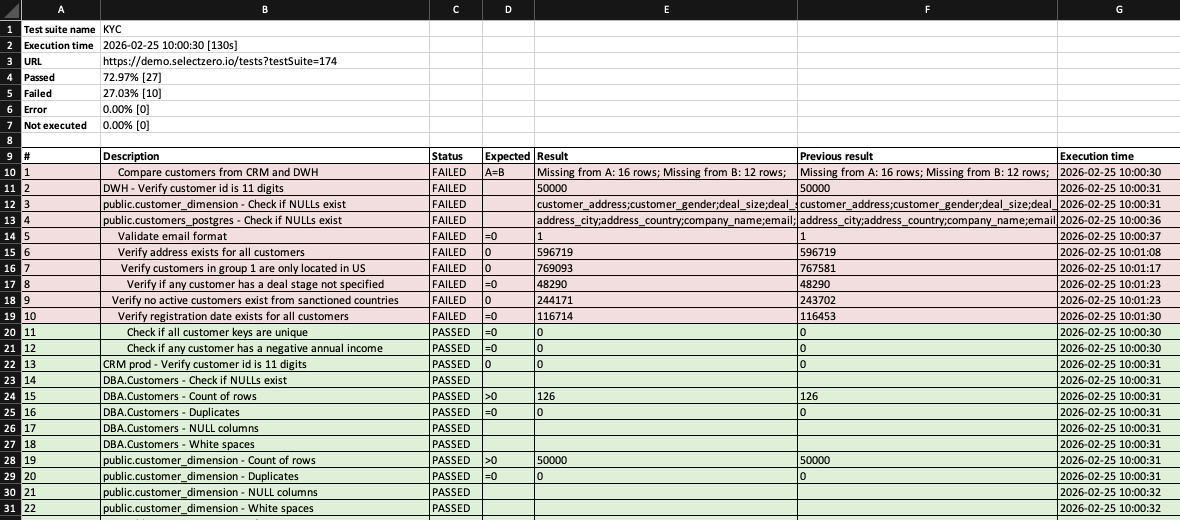
In addition to the existing HTML reports, test suite reports can now also be generated and sent by email as Excel files. The file includes a summary sheet with all test cases and their statuses, plus individual sheets for each test case with detailed results where available.
Test case content in webhook alerts
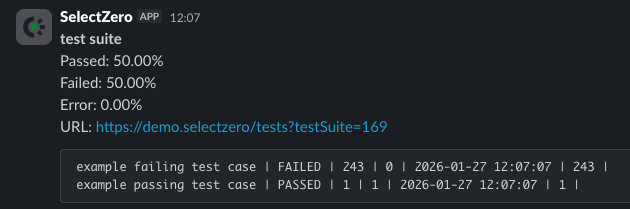
Webhook alerts (e.g. Slack, Teams, Jira) can now include a list of test cases and their results. This gives receiving systems and team channels richer context about what passed or failed, without needing to open the full report.
Duplicate Terms in Glossary
The Glossary now supports duplicate term names across different Glossaries, giving teams the flexibility to manage terms that share a name but carry different meanings in different contexts.
On-premises PowerBI support
The Power BI connector now supports on-premises Power BI Report Server, in addition to the existing Power BI cloud service. Organizations running Power BI on-premises can now connect and monitor their reports directly, including field-level lineage.
SAS integration
SelectZero now connects to SAS via the IOM connector, allowing to run data quality tests directly against SAS 9.4 and Workspace Server environments. The SAS connector is available alongside the existing suite of database and platform integrations.

Release 2026.7
SelectZero release 2026.7 SelectZero 2026.7 is one of the broadest releases so far, reaching nearly every part of the platform. The interface has been rebuilt end to end, and profiling takes a [...]

Unified data quality, catalog, and lineage: why G2 ranks SelectZero a High Performer
Most organizations don't have a data quality problem in just one system, they have one spread across ten different databases, dashboards, and pipelines that nobody fully understands anymore. SelectZero exists to close that gap: [...]
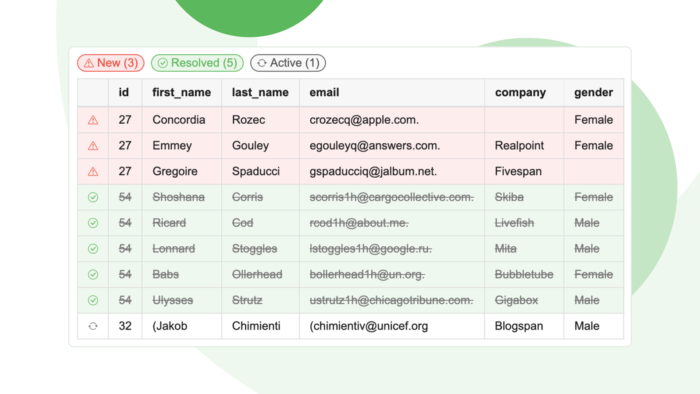
Did that fix actually work? Track row-level differences for data quality checks
When you monitor data quality, finding out that something is wrong is only the beginning. The harder question is what is wrong. Is this a brand-new problem that appeared overnight or a recurring issue [...]
SelectZero now integrates with dbt
SelectZero now ingests metadata from both dbt Core and dbt Cloud. Your dbt models, sources, seeds, snapshots, tests, and lineage flow into the SelectZero catalog and merge with metadata from every other system you [...]
Your catalog, in any AI client: SelectZero MCP server
SelectZero now ships a built-in Model Context Protocol (MCP) server. Point Claude Desktop, Cursor, Claude Code, VS Code, or any other MCP-aware client at your SelectZero instance, and your AI assistant gets first-class access [...]
Release 2026.5
SelectZero release 2026.5 SelectZero 2026.5 brings the platform's biggest expansion yet into the modern data stack, with native dbt integration, AI-powered catalog enrichment, and MCP support that opens SelectZero data to AI [...]